
Optimization suggestions: a daily list of fixes for your Allegro Ads campaigns
Every day, Mink reviews your campaigns and collects specific fixes in one place: which offers to exclude, where to raise the bid and which campaigns run out of budget before the evening. You can apply each suggestion with one click or dismiss it.
- You'll find suggestions in the Suggestions ("Podpowiedzi") menu. The number next to the name shows how many are waiting for a decision.
- Each suggestion shows the problem, the data behind it and the proposed change, e.g. CPC 1.90 PLN → 2.38 PLN.
- Apply ("Zastosuj") makes the change. In the "⋯" menu you can dismiss a suggestion for 7 days or permanently.
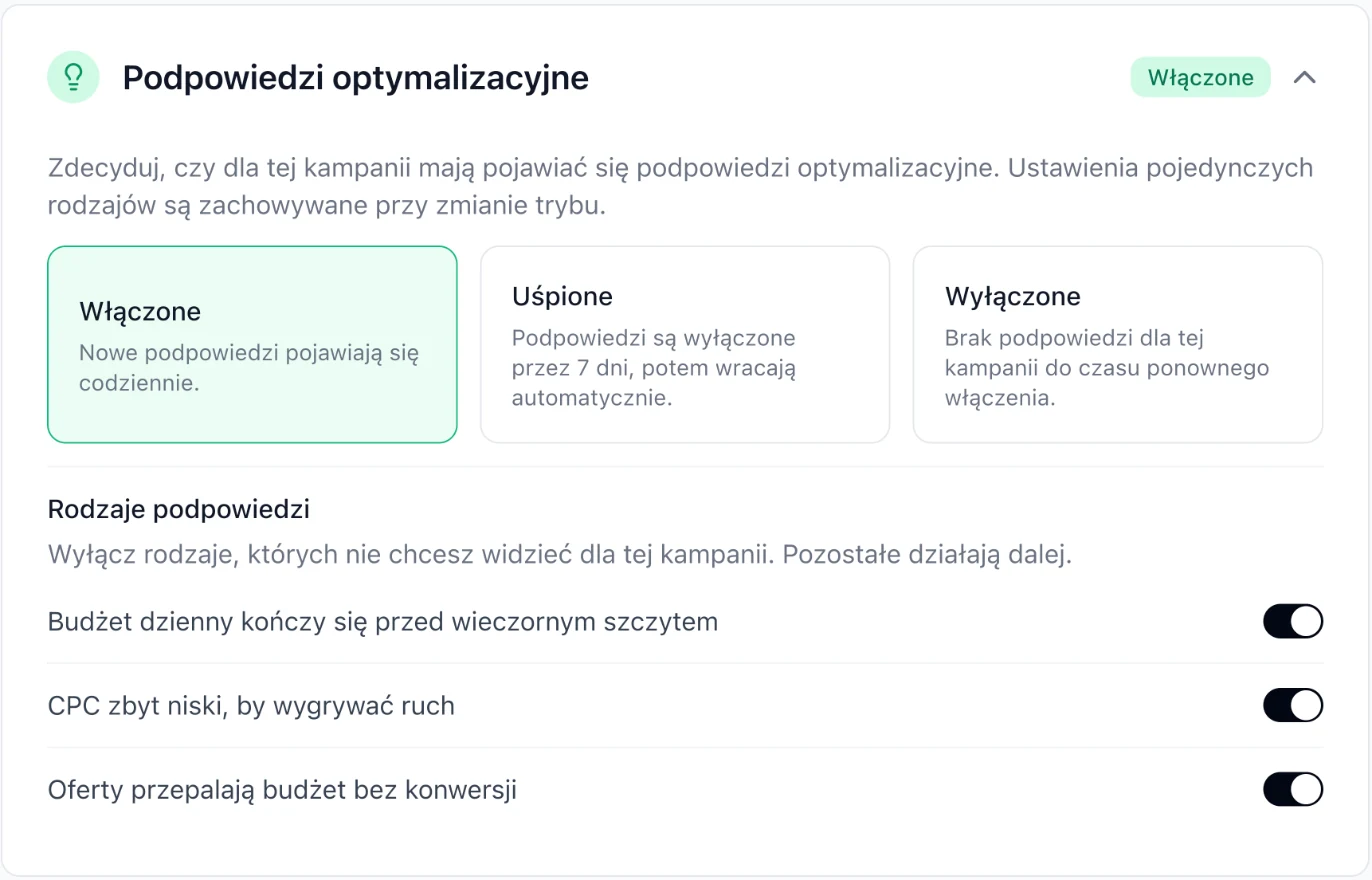
- In the campaign form you can turn suggestions on, snooze them for 7 days, turn them off or turn off only selected types.
What suggestions are
Optimization suggestions are ready-made proposals for campaign changes, based on campaign results. New ones appear every day. They don't change anything on their own: you decide whether to apply them.
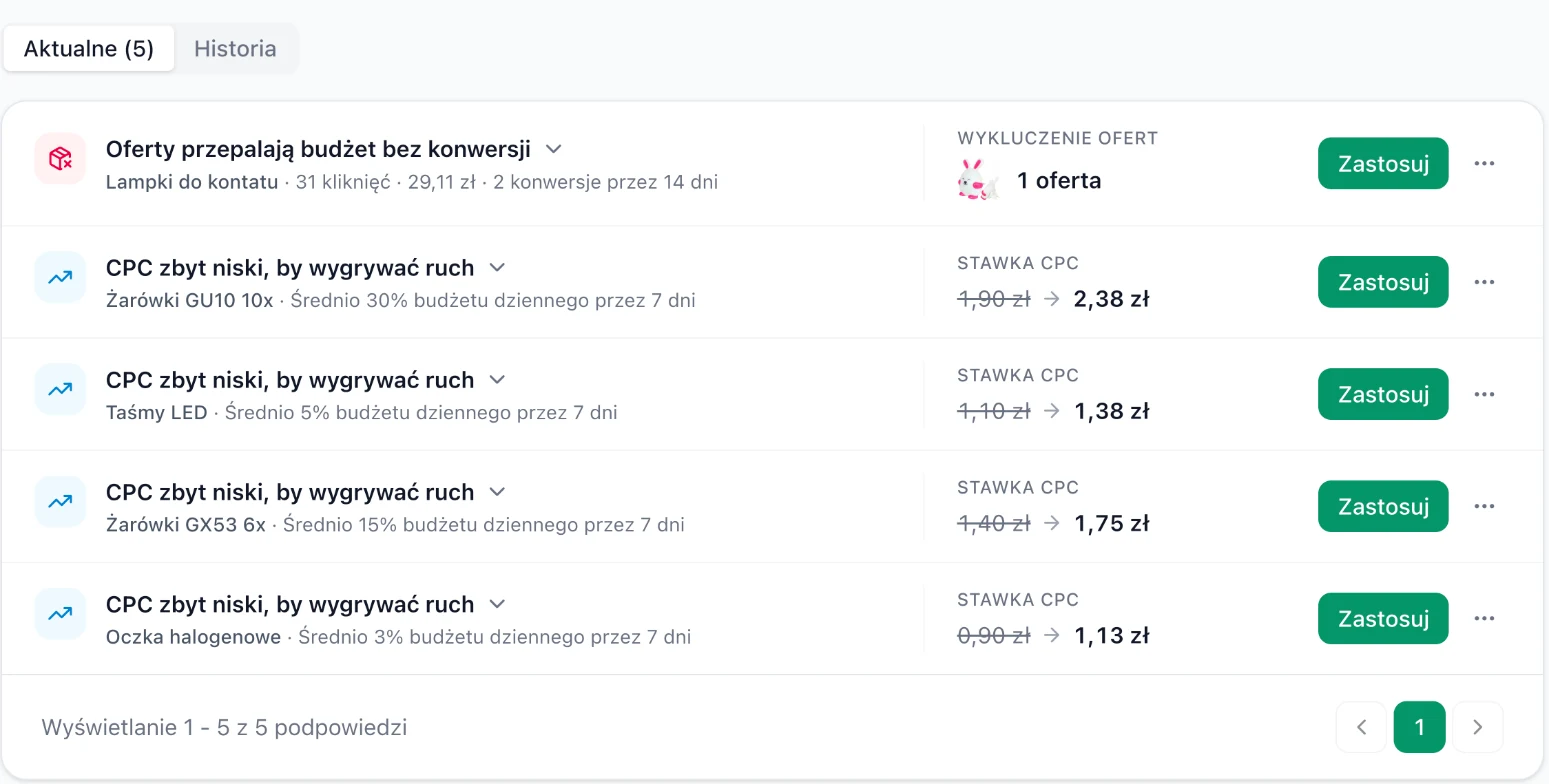
3 types of suggestions
| Suggestion | When it appears | What it proposes |
|---|---|---|
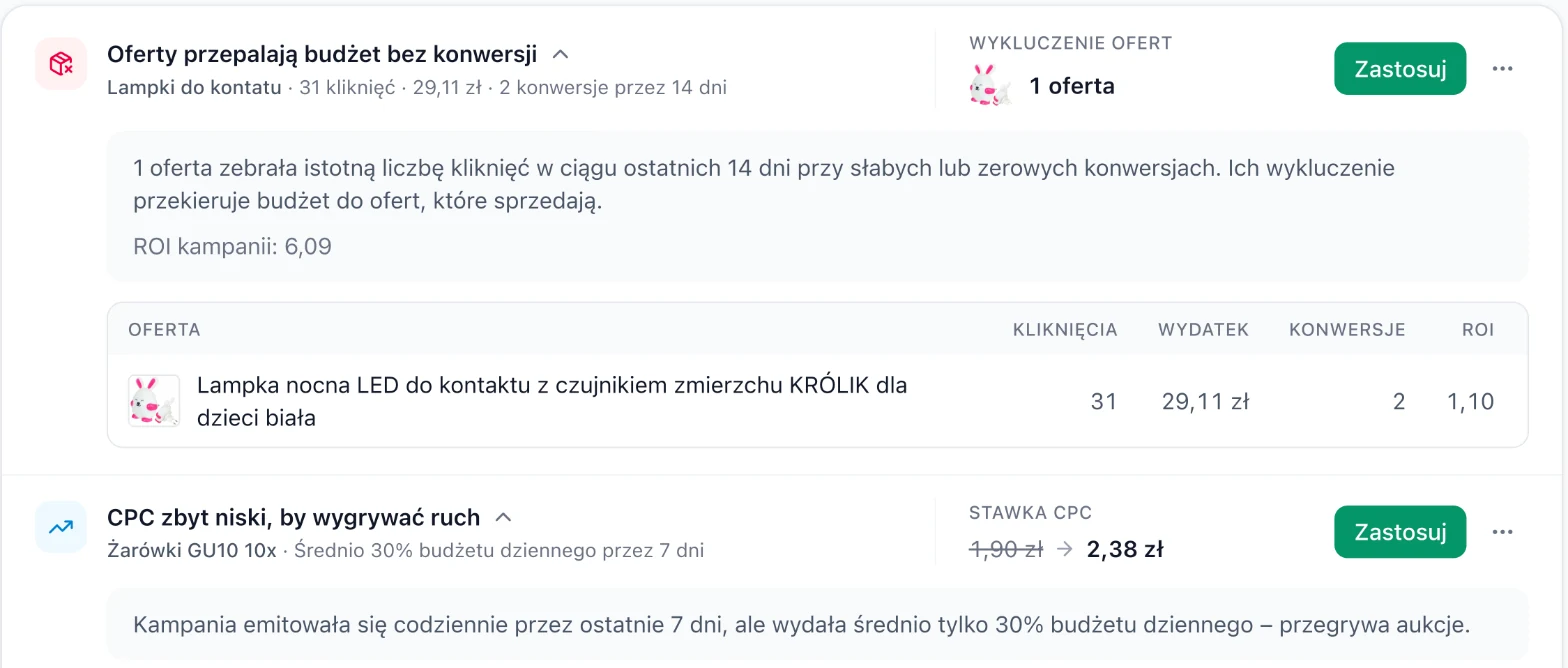
| Offers burning budget without conversions ("Oferty przepalają budżet bez konwersji") | Offers collected a significant number of clicks in the last 14 days with weak or zero conversions. | Excluding these offers so the budget goes to offers that sell. |
| CPC too low to win traffic ("CPC zbyt niski, by wygrywać ruch") | The campaign ran every day for the last 7 days but spent only part of its daily budget, which means it's losing auctions. | A higher CPC bid, e.g. 1.90 PLN → 2.38 PLN. |
| Daily budget runs out before the evening peak ("Budżet dzienny kończy się przed wieczornym szczytem") | The campaign uses up its budget before the hours with the highest sales begin. | A change that leaves budget for the evening. |
When you expand a suggestion (the arrow next to the title), you'll see the reasoning and the data. For offers, this is a table with clicks, spend, conversions and ROI for each offer, plus the ROI of the whole campaign for comparison.
How to use suggestions
-
Review the Current list
In the menu, choose Suggestions. The Current ("Aktualne") tab shows suggestions waiting for a decision.
-
Expand and check the data
Click the arrow next to the title. Check whether the data matches what you know about the campaign, e.g. whether an offer without sales is actually a new arrival or a seasonal product.
-
Apply or dismiss
Apply makes the proposed change. In the ⋯ menu, choose Dismiss for 7 days ("Odrzuć na 7 dni") if you want to come back to it later, or Dismiss permanently ("Odrzuć na stałe") if the suggestion doesn't fit this campaign.
-
Check the history
The History ("Historia") tab collects applied suggestions with the date the change was made. That way you can compare results before and after.
A free 10-second Allegro Ads campaign audit points out campaigns and offers that are losing money, plus overpriced CPC. No sign-up required.
Suggestion settings for a campaign
In the manual campaign form, in the Optimization suggestions ("Podpowiedzi optymalizacyjne") section, you decide whether suggestions should appear for this campaign:
- On ("Włączone"): new suggestions appear every day.
- Snoozed ("Uśpione"): suggestions are turned off for 7 days, then come back automatically. Useful e.g. during a test or a promotion.
- Off ("Wyłączone"): no suggestions for this campaign until you turn them back on.
In the Suggestion types ("Rodzaje podpowiedzi") part, you can turn off individual types while the others keep working. Type settings are remembered when you change the mode.
The campaign's Configuration history ("Historia konfiguracji") does not include suggestion settings. Restoring an older version of the campaign won't change them.
A 5-minute routine with suggestions
Morning: offers without sales
Start with "Offers burning budget without conversions". It's usually the quickest saving. Skip new arrivals that are only just collecting their first clicks.
Next: bids
Apply "CPC too low" first in campaigns with good ROAS. That's where a higher bid is most likely to turn into sales.
Budget before the peak
When a suggestion about the budget running out before the evening appears, consider budget spending pace or a schedule.
Automate what repeats
If you apply the same suggestions every week, turn them into an automation rule, e.g. a rule that excludes offers without sales.